Human Services are about serving people and interacting with them in different ways. Projects on Work in Human Services will help you learn how to work with people. You can take up projects related to taking care of your health and that of your family and others, you can make interesting videos and audio clips on various topics, such as making a budget for your family, applying Mehndi on people’s hands, or developing a comic book; it is up to you to imagine all that you can do with your peers.
Two examples of projects are given in this section. You must take up only one project. You can either choose one of these projects or you can design a project of your own choice with the help of your teacher.
Project 5
School Museum
This project will help you learn about museums, and you will create your own museum by collecting and describing artefacts
As part of the project, you will be able to:
- Learn about museums and artefacts
- Visit a real museum or take a tour of virtual museum
- Learn your own history
- Identify artefacts and prepare presentations
- Organise an exhibition of artefacts
- Take feedback from visitor
You have learnt about many sources for understanding history
and culture in Social Science. Among these sources are artefacts,
objects made by humans that are old, unique and beautiful and
related to our traditions and culture. These artefacts can be
ancient or a part of our lives and societies in the present.
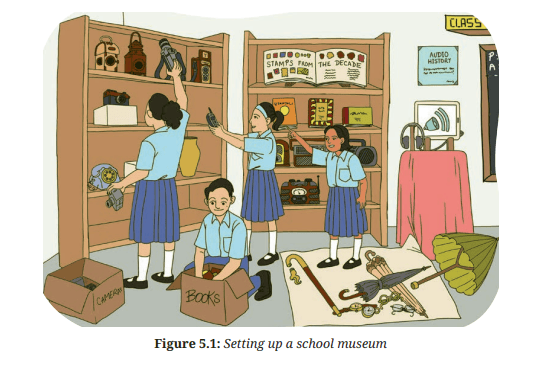
A museum is a place in which artefacts are kept. Museums
help us understand our history and culture (Figure 5.1). They
show us what ancient people wore, what kind of work they did,
what kind of artwork they created (e.g., paintings and sculptures),
and what they wrote (manuscripts). Museums help us build the
past in our minds, and see things, which we may never be able
to otherwise.
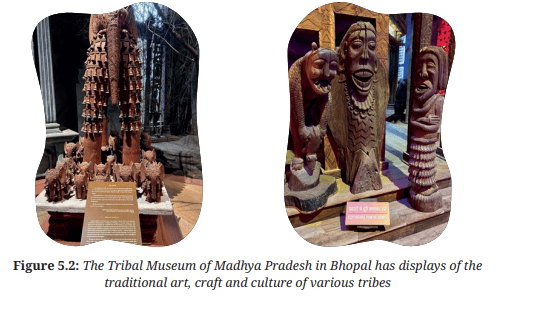
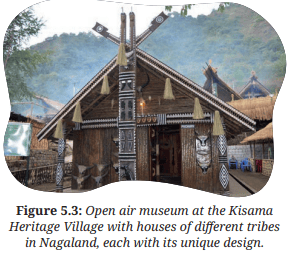
Museums also help us learn about the present culture and
work of different groups of people in the country and the world.
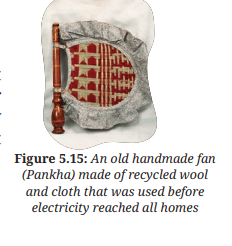
They display artefacts related to art, traditions (Figure 5.2),
architecture, and science. For example, the National Science
Centres/Museums spread across India help us learn about things
that no longer exist, such as dinosaurs, and also about things that
we can expect in the future. There are even some curious objects
that defy what we think or we know, like a 1200 kg granite ball
that spins on water at the National Science Centre in Delhi.
While Science Museums primarily focus on concepts related
to science, museums in general display a variety of things,
including traditional textiles and the style of wearing them. In
some museums, even
animals are preserved and
exhibited .
Do you have traditional
things in your house
things which can be
displayed in museum?
Look around and bring
them into the classroom.
If you cannot bring
these artefacts into the
classroom, take their
photographs or drawings
and these could be a part of your museum.
What will I be able to do?
At the end of the project, you will be able to:
1. Describe how museums preserve history and traditions;
2. Identify artefacts that are of interest to you and your peers;
3. Create a school museum with your peers; and
4. Present the history of artefacts using different forms of the
presentation .
What will I need?
• Locally collected artefacts that are old, beautiful, or important to
your family, and/or photographs of these artefacts.
.
• Storage containers and display boxes.
.
• Cleaning brush and cloth.
• Chart paper or cards for making labels.
•Markers, sketch pens, drawing pencils, coloured pens and scissors.
• Equipment and materials for presentation; computer and projector.
How do I keep myself and others safe?
• Our heritage is the source of our pride and honour. It is our duty to preserve it. Take care of the artefacts, and they should be handled with care to avoid any damage.
• During a visit to a museum, avoid direct contact with the artefacts as they might be made of sensitive material. Please follow all instructions on the sign boards at the museum.
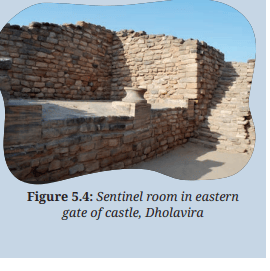
You have learnt about the Sindhu-Sarasvati civilisation in Social Science.
You have also read about Dholavira (Figure 5.4). Locate Dholavira on the
map of India .
Archaeological sites are places where evidence of ancient human
societies is preserved. These sites
are excavated by archaeologists.
They carefully dig up these
sites, and analyse the artefacts
and other remains that are
uncovered. These artefacts help
us to understand the kind of
societies that existed many years
ago at these sites. The objects
discovered during excavation are
kept in a museum located near
the site.
What do I need to know before I start?
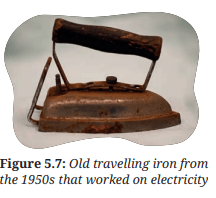
Look around your home and neighbourhood. List the names
of at least five artefacts that you find interesting because they
are old or special to you and your family. Examples include old
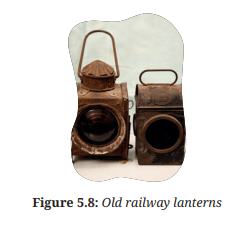
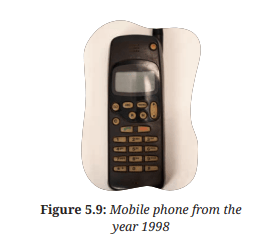
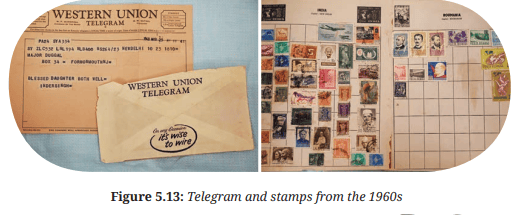
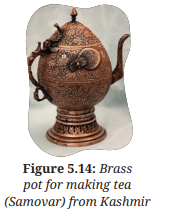
coins, telephones, vessels, stamps, wood carving, furniture, stone
carving, Shilalekh (inscriptions, that is writing or engraving,
carved on stone or walls of caves or buildings), ancient
manuscripts, religious manuscripts, statues, radio, gramophone,
camera, spectacles, sticks, ancient books, traditional clothes, and
so on.
Activity 1: Visiting a museum
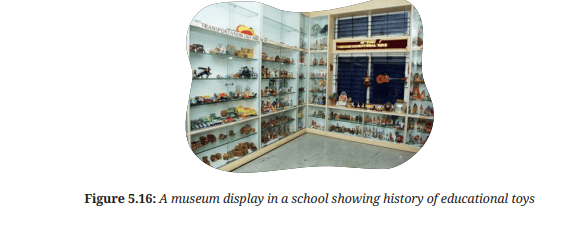
Visiting a museum will help you with setting up the school
museum. In case, you are not able to visit a museum yourself, you
can ask your friends and others if they have visited a museum,
and what they saw during their visit or you can also visit the
website of a museum and see the exhibits there. Take note of their
descriptions. Some museums have ‘virtual exhibitions’
Virtual Museum Tour
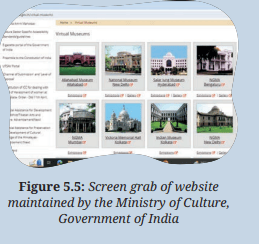
You can take a virtual tour of the
Museums in India on the website of
the Ministry of Culture, Government
of India (you can use the search
keywords, such as the ‘ministry
of culture’ + ‘virtual museums’).
Figure 5.5 shows the screen grab of
website maintained by the Ministry
of Culture, Government of India.
Use Google Lens or a similar
Optical Character Recognition
(OCR) tool to search for more
information on the collections of the museum.
Share your learnings on how Google Lens assisted through the tour.
Internet safety: Ask your teacher for help while using
the Internet. Be careful and do not upload or download
anything, and also do not share personal information anywhere .While visiting museum understand the layout of the museum
and key exhibits. Take your time to explore the museum, observe
the exhibits, read information panels and check if there are any
interactive activities (e.g., lighting up parts of the exhibits, moving
some parts, a quiz you can take, etc.). If possible, discuss your
observations with an expert (it could be the person who selects
and looks after the artefacts in the museum, the curator, or a local
historian) and ask any questions you have.
Based on the above, please respond to the following questions:
1. What was the most interesting exhibit you saw in the
museum?
..............................
................................
2. Why did you find it interesting?
.............................
.............................
3. Describe any one exhibit that has significance in our lives
even today.
.................................
.................................
Activity 2: Learn the history of your family and area
To begin, it is important to learn more about the place you live in
and the association of your family with it. The questions below
will help you with this.
1. Did your village/town/city ever have different name?
................................
................................
2. Do you know when was it founded or established? If yes,
write the year.
................................
................................
3. Where did your family originally come from?
.................................
.................................
4. Do you have any family traditions or customs that have
been passed down through generations?
.................................
.................................
5. Are there any local stories or traditions related to the
village/town/city? (e.g., any story about the area, any
connection with history, any time of the year when many
people come to visit, etc.)
Write about the story or the tradition related to your
village/town/city.
.................................
.................................
6. Are there historical movements or landmarks/buildings in
your village/city/town? If yes, write a short note about any
one of them.
.................................
.................................
7. Is there any old institution or monument that you have
visited? If yes, what is it famous for?
.................................
.................................
8. What are the oldest artefacts in your house? Write their
names here.
.................................
.................................
Activity 3: Identify artefacts and learn about them
Identify atleast 5 artefacts in your home and write about them in
the table 5.1.
Table 5.1: Writing about the artefacts
| Questions |
Artefact
1 |
Artefact
2 |
Artefact
3 |
Artefact
4 |
Artefact
5 |
| What is the
artefact? |
|
|
|
|
|
| Who is the
owner? |
|
|
|
|
|
| How old is
it? |
|
|
|
|
|
Will you
bring it to
class or will
you bring a
photograph?
|
|
|
|
|
|
Note: If you plan to bring photographs into the classroom, make
sure you take it from different angles. So that anyone looking at the
photographs, can see the artefact as if it was in front of them.
Using Google Lens
You can use AI tools like Google Lens to explore information about
artefacts as well as monuments, or landmarks by simply pointing the
smartphones camera at them. Google Lens can also provide information
about artworks, historical artefacts, and famous landmarks, allowing us
to learn more about our art and culture.
There are many other apps related to
the virtual tours of museums or for gaining
knowledge about old stamps and coins.
Choose one of the artefacts selected
for exhibition in the museum. Create a
timeline showing its history and evolution,
including when it was commonly used and,
if still in use, how it is being used. You can
also record any significant events related to
it, for example, some relative brought it as
a gift on the occasion of your grandparent’s
marriage, and it was the first of its kind in
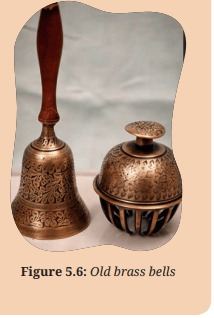
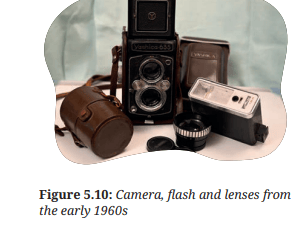
the village (for example, an old radio or
camera)
Activity 4: Selecting artefacts for the museum
Within the group, select five
artefacts that you think should
be part of the exhibition in the
museum. You will have to decide
on the final set of exhibits with all
your peers. Remember, you must
choose carefully, and also explain
why you chose these artefacts and
not the others
All the artefacts are important, and even if your artefact is not
included in the final exhibition, you learnt something valuable
about local history and culture.
The following questions will help you finalise the artefacts :
1. How will you select the final five artefacts for the
exhibition? What factors will you keep in mind while
choosing the artefact?
...................................
...................................
...
Reading or translating old documents
AI tools such as Google
Lens, Microsoft Office
Lens, Adobe Scan and Text
Fairy can read text from
images by using Optical
Character Recognition
(OCR). You can use them
to read old documents
that are difficult to read
or to translate documents
in a language that you
understand.
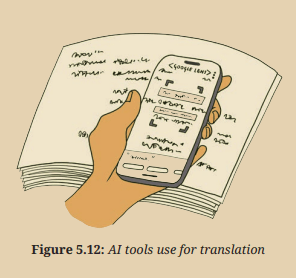
This will help in case
you want to add old documents to the artefacts in the museum.
1. Download and open the Google app on the smartphone.
2. Locate the Google Lens icon in the search bar and tap on it.
This activates Google Lens.
3. Point your camera at the text you want to read. Ensure the text
is clear and within focus for better results. Use the highlighters
that appear to select the desired portion of text.
4. Depending on your desired action:
• To read: Google Lens will automatically attempt to recognise
the text and display it on your screen, making it easier to
read, especially for small fonts or challenging angles.
• To copy: Look for the ‘Homework’ option. Tap on it and you
will see options, like ‘Copy Text’ or ‘Copy to Computer’. Tap
on ‘Copy’ to copy the text to your clipboard. You can then
paste it onto another app, like notes or documents.
• To translate: Look for the ‘Translate’ option at the bottom
of the screen. Tap on it and choose the desired language you
want to translate the text. The lens will display the translated
text alongside the original
Draw a picture or paste a photograph of each object you have
selected and write a short description of its history and/or usage
in table 5.2.
| object |
Sketch
Photograph |
History and
Usage |
Is it still
being used?
(Yes/No) |
| object1 |
|
|
|
| object2 |
|
|
|
| object3 |
|
|
|
| object3 |
|
|
|
| object4 |
|
|
|
| object5 |
|
|
|
Activity 5: Keeping the artefacts safe
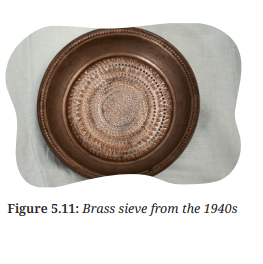
For example, a brass article needs to be
washed and polished, a wooden object needs
to be dusted with a soft brush, and clothes
should be hung carefully, away from any
nails or sharp edges. Photographs should be
carefully kept in envelopes, ensuring they
do not get bent or out of shape
Select any two artefacts and respond to
the following question:
1. What will you do to ensure the
artefacts are safe and in good condition?
...................................
...................................
Activity 6: Preparing presentation on
artefacts
There is a story behind each artefact
and you need to present it to each visitor
to the museum. You can do this in many
ways, you can find a folk story about
the artefact or develop a story. You can
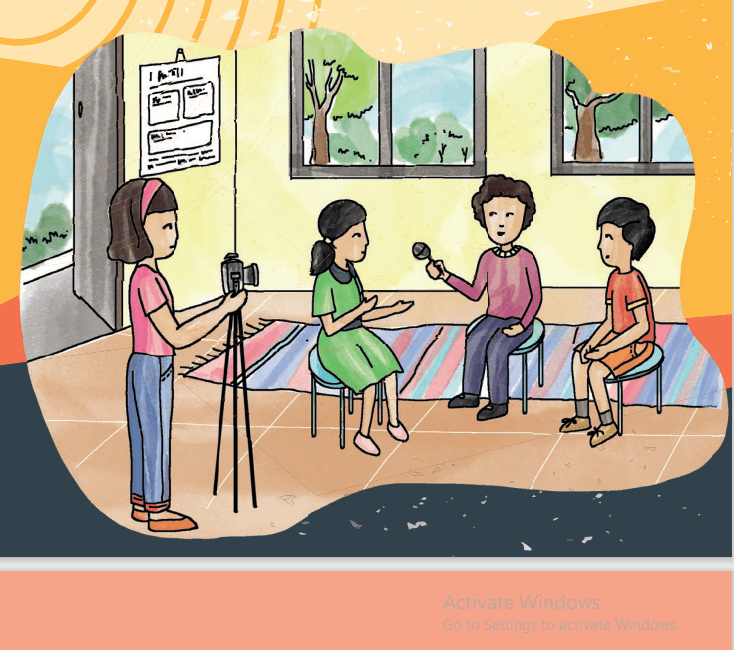
make videos (especially for objects you cannot bring to school, an interview with someone talking about
the history of the object), create a slide presentation, write a
Blog/Wikipedia article, or use a chart and coloured pens to make
posters describing the artefact.
Think and respond to the following questions:
1. What kind of presentation will you make? (e.g., digital slide
presentation, poster, video, etc.)
...................................
...................................
2. Why did you choose this/these kind of presentation(s)?
...................................
...................................
3. What are the specifications of your presentation (e.g., size
of poster, duration of video, etc.)?
...................................
...................................
Practice giving an oral description of the artefact in your group
before showcasing it to visitors.
Translating your own presentation
There are various AI tools (e.g., Bhashini’s Anuvaad and Google
Translate) that can be used to prepare audio presentations in
other languages.
Bhashini Anuvaad: Bhashini Anuvaad is a set of AI tools that
can translate spoken words from one language to another. It
helps with translation, transcription and transliteration in Indian
languages. It enables users to communicate, access information,
and create content in their preferred Indian languages.
Google Translate: Google Translate is a tool that instantly
translates words, phrases, and web pages from English to over
100 other languages
Bhashini Anuvaad
Step 1: Access Bhashini:
• Open a web browser on your computer or tablet
. • Type ‘Bhashini’ in the search bar and press Enter.
• Click on the Bhashini website link to access the tool.
Step 2: Choose Your Languages:
• Look for a section that lets you select languages. Bhashini can translate many languages, so choose the one you want to speak and the
one you want to translate to.
Step 3: Input Your Text:
• Find a space where you can type or speak your sentence.
If you are more comfortable typing, use the keyboard. If you want to speak,
make sure your device has a microphone, and look for the microphone icon.
Step 4: Translate and Listen:
• Once you have entered your text, click the translate button.
If you are using voice input, wait for Bhashini to process your spoken words.
• Bhashini will then show you the translated text on the screen.
You can also listen to the translated version by clicking a speaker icon, if available.
Step 5: Experiment and Explore:
• Do not be afraid to try different sentences and languages.
Experiment with Bhashini to see how it works in various situations.
• Explore different features available, like changing the
language ‘direction’ or adjusting settings.
|
Google Translate
Step 1: Access Google Transla • Open a web browser on your computer or tablet. • Type “Google translate” in the search bar and press Enter • Click on the Google Translate website link to access the tool. Step 2: Choose Your Languages • Similar to Bhashini, select the language you want to translate from and the language you want to translate to. Step 3: Input Your Text • Type or speak the sentence you want to translate. Google Translate also has a microphone icon for voice input Step 4: Translate and Listen: • Click the translate button to see the translated text. You can also listen to the translation by clicking on a speaker icon.
Step 5: Explore Additional Features: • Google Translate offers additional features like conversation mode, which allows you to have a back and forth translated conversation.
Step 6: Practice and Have Fun
: • Practice translating sentences and have fun discovering how these tools can open up a world of languages
|
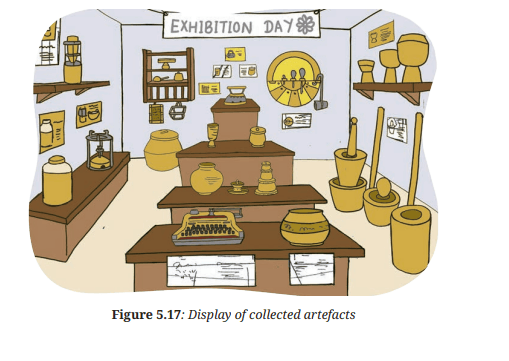
1. You can organise an exhibition of artefacts in your school
with your peers under the teacher’s guidance. Decide on
a suitable date and location within the school premises.
Ensure the space is large enough to accommodate exhibits
and visitors.
2. Workwithyourpeers totakeresponsibilityforfiveartefacts
for the museum. Discuss and finalise a brief description of
each of the artefacts. Write the final descriptions neatly
on labels. Discuss how these labels will be placed, whether
on display boards or pasted on charts next to the artefacts
(table 5.3).
3. Set up tables, stands, and display boards. Ensure artefacts
are securely displayed and labelled.
4. Create posters, flyers, and social media posts to promote
the exhibition.
5. Send out invitations to parents, family, friends, school staff
and community members. Invite your friends and family.
6. Organise the exhibition of artefacts as decided and
collect feedback from visitors, students, and teachers to
understand what went well and what could be improved
Table 5.3: Labels to describe objects briefly
| object |
Description on Label |
| object1 |
|
| object2 |
|
| object3
|
|
| object4 |
|
| object5 |
|
Draw a sketch to show the layout of how the artefacts will be
exhibited.
Keep a visitor’s book for feedback and comments related to your
presentation, about the artefacts on display, and any feedback.
What did I learn from others?
If you were able to visit a museum, then
1. Find out how artefacts in museums are stored and cared
for. Write down at least three methods that museums use
to preserve artefacts
(a)..................................
(b)...................................
(c)...................................
Learning from experts
If you have invited someone who can answer your questions, e.g.,
someone who works in a museum, a historian, or an archaeologist,
to discuss historical artefacts with your class then write at least 3
things that you learnt.
Listen to a talk show or short documentary on artefacts and
how they help us understand the lives of people in ancient times.
Write at least three things that you learnt.
1..................................
2...................................
3...................................
Learning from visitors
Write down any three examples of feedback from visitors.
1..................................
2...................................
3.................................
What did you learn from this feedback?
..................................
...................................
...............................
What did I do and how long did it take?
It is important to understand how much time is required for an
activity to be completed.
--------------------------------------------------->
Time --- --- --- --- --- --- --- - - - - - - - -
taken
(Periods)
Calculate the approximate number of periods you spent on
each activity. Mark them on the timeline. If you did more than the
activities suggested in the book, please add the number and time
taken
What else can I do?
Discuss the project with your relatives from different cities. Ask
them to share or tell about some of the museum-worthy artefacts
in their home or locality. Display them by either bringing the
object or photographs to your class.
Think and Answer
1. What did you enjoy doing?
2. What were the challenges you faced?
3. What would you like to do differently?
4. How do museums help us in learning about our heritage
and history?
5. What jobs are related to the project? Look around, speak
to people and write your answer. A few examples of jobs
related to the work you just did are archaeologist, historian,
museum curator, and tour guide.