
Project 4: AI Assistant
This project will help you learn about using Artificial Intelligence (AI). You will create an AI Assistant to help someone who has recently moved into your locality.
As part of the project, you will be able to:
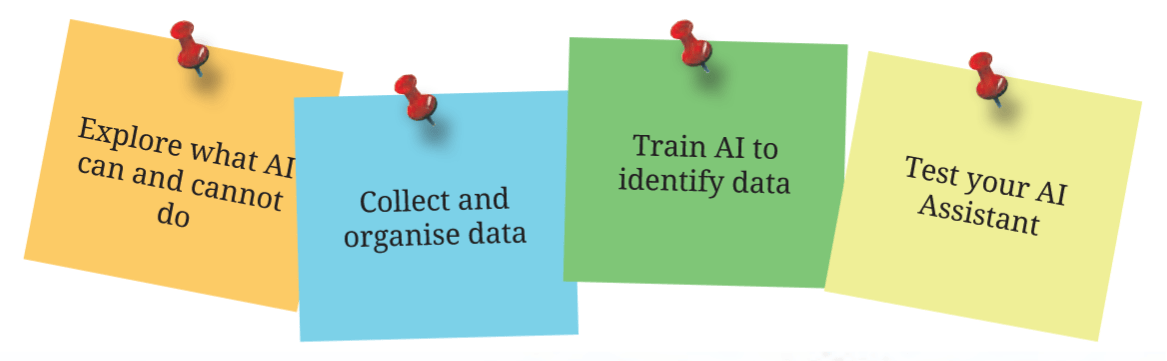
- Explore what AI can and cannot do
- Collect and organise data
- Train AI to recognize data
- Test your AI Assistant
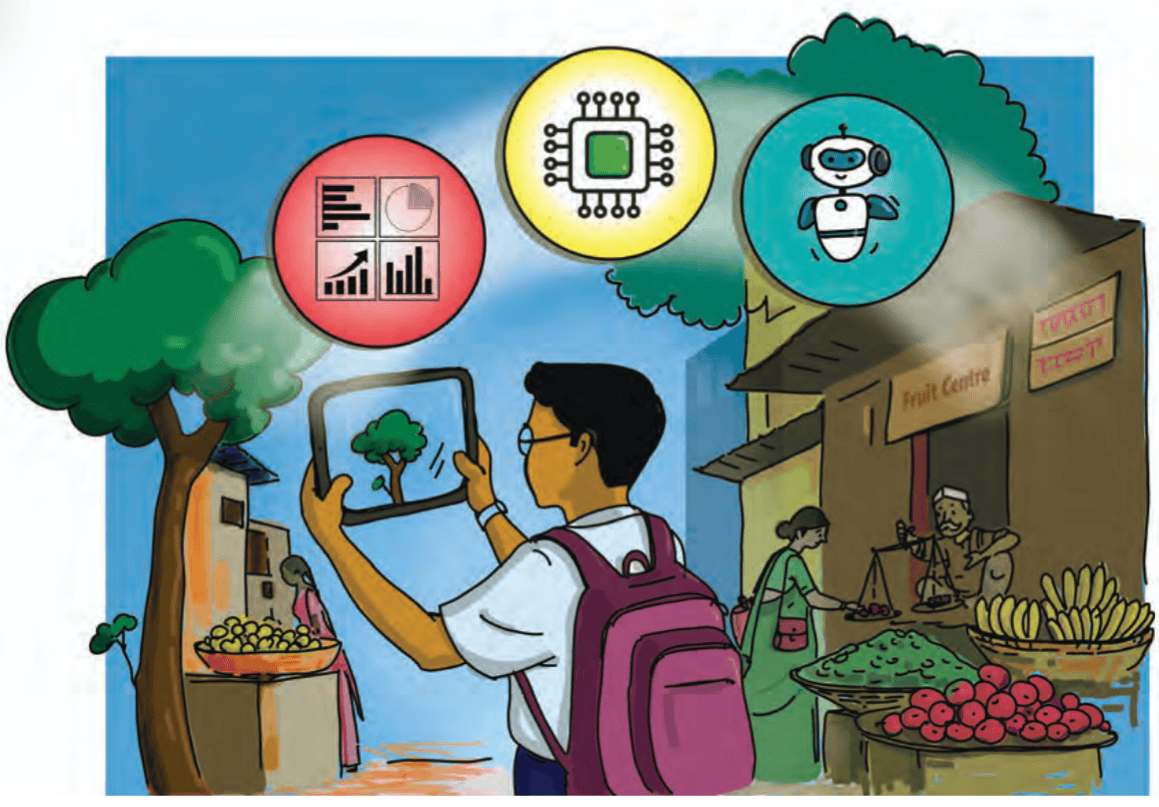
Figure 4.1: A student using AI to interact and learn more about the world around us.
What do we mean by intelligence?
Intelligence is the ability to learn and to use what you have learnt in new situations. Intelligence keeps growing - the more we deal with new situations, the more our intelligence grows.
With advances in technology, machines are also becoming intelligent, just like humans. This is known as Artificial Intelligence (AI) and it is progressing very rapidly - what we did not imagine even a few years back is possible now (Figure 4.1).
Before learning about AI, let us discuss how we learn. Imagine that, on the first day of school, you meet many new people. Your brain will try to remember their faces and names, but you may not be able to remember all of them. After few meetings and interactions, your brain will start recognising each person and recalling their names as soon as you see them. After few days of interaction, you will be able to recall many qualities of that person.
AI works in a similar way. For example, if we want a machine to recognise an image, we need to show different images of the same object. We do this by uploading these images with proper instructions. Suppose, we want a machine to recognise a banyan tree. We will upload many different images — banyan tree in the shade, in light, different stages of growth (including many pictures of saplings), from different angles, in different geographies, full photos, partial photos — this will have to be done carefully to ensure the machine has maximum possible data related to how a banyan tree looks.
We also need to teach the machine to associate images with their name — in this case, ‘banyan tree’. Slowly, as you upload more data and associate it with the name, the machine will start recognising images, even those it has never seen before and connect them to the correct name. You can even teach the machine to connect to other information related to the banyan tree. In this way, you can keep adding the connections the machine can make — e.g., scientific name, conditions for growth, uses, animals who live in it, and whatever else may be useful for humans. This process is called ‘Machine Learning’, and AI makes it possible.
Similarly, you can teach the machine to recognise audio recordings of music and sounds — e.g., with a different tone, using different musical instruments — and video recordings — e.g., different backgrounds, different angles.
AI is being used in various ways to help humans. AI can be used to automate repetitive tasks, thus, reducing human efforts and increasing productivity.
As its use increases, and scientists and engineers explore how it can be expanded, it is fast becoming a part of our everyday lives
Right now, we use AI without even thinking of it. Various apps for navigation while driving, image recognition, translation, and so on are part of our lives. You may have heard of robots that help doctors operate from a city far away from the patient, or robots who can teach students. Till few years back, some of these functions of AI were part of science fiction books and films. And now they are fast becoming a reality.
Even though AI may keep learning by itself, as it gathers more information there are certain things it cannot do. For example, can we teach AI to feel emotions? AI may be able to identify various aspects of nature that make it beautiful, but it will be able to convey that an artwork makes you feel good only when you train it to do so – it will never be able to feel emotions as humans do.
What will I be able to do?
At the end of the project, you will be able to:
- 1. Understand how AI can be a useful tool for humans.
- 2. Collect data that can be used to create an AI Assistant.
- 3. Train a machine to recognise data based on your instructions.
- 4. Create an AI Assistant to help someone learn about your locality.
What will I need?
Devices: You will need a computer with a webcam and a microphone/speaker or a tablet with Internet access. You will also need a camera that can take photographs and record audio data. In case you do not have such a device, you can use the smartphone of a parent/teacher.
AI Tools: Teachable Machine, Scratch, and any other tool you may find useful to build the AI Assistant.
You can search for more AI tools by using these keywords:
- Machine Learning Website + Image Recognition
- Machine Learning Website + Sound Recognition
- Machine Learning Website + Image and Sound Recognition
How do I keep myself and others safe?
Internet safety: Discuss the safety precautions which should be taken while accessing the Internet with the teacher and your peers. Make a list of 'dos' and 'don'ts'. Make sure you follow this list while working. If in doubt, ask your teacher. Remember to limit your screen time as advised by your teacher and family members (Figure 4.2).
Sensitivity: Get permission before collecting data or taking photos. For example, if you are taking a photograph of a shop, ask the shopkeeper for permission. Be respectful to all and try and understand the reasons people do things that may seem strange to you, e.g., a custom that is unfamiliar to you. Take care when taking photographs of plants and animals - ensure they and you are both protected from harm.
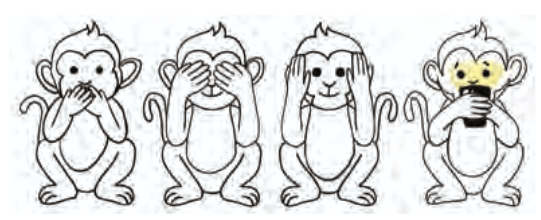
Figure 4.2: Excess screen time is not good for your mental and physical health, remember to go out and play.
What do I need to know before I start?
Before you start, you should know basic functions on the computer, and how to use the Internet. You should be able to take photographs and upload them.
But, before you begin, the first thing you must do is to understand what AI can and cannot do. Once you understand this, you will be able to make decisions about what the AI Assistant should do.
Activity 1: Human vs Machine: Who is Better at What?
Start by exploring three tasks related to what makes humans and machines special, and discovering how both work.
- 1. The speed with which a machine and you can calculate: Speed Test. You can do this using pen and paper, and a calculator. You can use a watch or borrow your teacher’s smartphone to keep track of time.
- 2. Check how accurately a machine can guess what you have drawn: The Creative Guessing Game. Use ‘Quick Draw’ or a similar drawing game. Draw and let the computer guess what it is.
- 3. Compare who can better guess the time taken to reach school: The Prediction Test. Think of how long it usually takes to reach school. Pick any date and predict how long you will take to reach school. Now, ask Google Maps how long it will take. Compare the predictions.
You can search for more apps on the Internet with these keywords:
- Apps + drawing recognition
- Apps + navigation
Fill tables 4.1 and 4.2 based on the following tasks:
 |
 |
 |
The Speed Test:
|
The Creative
Guessing Test (Using
AI tool)
|
The Prediction Test
(Using AI tool)
|
Write Down:
|
Write Down:
|
Write Down:
|
Table 4.1: How many times did the computer guess right?
| I drew | Did the computer guess right? |
|---|---|
Table 4.2: Did the machines do their work?
| App used by you | What can the app do? | Do you think the app did its work? Yes/No | Give reasons for your response |
|---|---|---|---|
Machines are faster in terms of computing. They can guess accurately when sufficient information is available but may not be able to guess accurately if they need more information. Do you agree? Discuss among yourselves.
Activity 2: AI can see, listen and speak
AI can help people see, listen and speak - after it has been taught to do so.
For example, modern hearing aids for people with hearing loss use AI to suppress unwanted noises and amplify other sounds. Thus, a person can hear human speech clearly while the background noise fades into the background. AI can even improve the quality of what is spoken. Some AI tools can distinguish between different speakers, so that the user can follow conversations correctly. Thus, AI can listen.
Did you know?
Prof. Stephen William Hawking was a famous scientist, who made many important discoveries about the universe. But what was unique about him was that he was suffering from an illness from the age of 21 years that led to slow paralysis of his entire body. Gradually, he lost the ability to speak. However, Prof. Hawking used AI to communicate. Initially, he used a system that helped him select words on a computer screen by tracking movements of his cheek muscles. The words he selected were converted to speech.
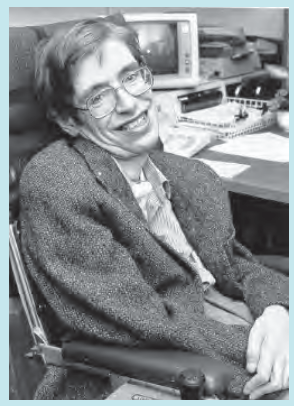
Figure 4.3: Prof. Stephen Hawking
AI can help people with visual impairment through AI enabled glasses with sensors that can detect light and images. Thus, AI can see.
AI can also use recordings of people who have lost their voice to help them speak even if they are unable to do so themselves. These recordings help AI convert whispers or stuttered speech into clear speech, with modulations and emotions. Thus, AI can speak.
You can do this activity using a smartphone or tablet.
You have explored some capabilities of AI. Now, experiment with AI tools to see how machines can observe, process, and understand the world (Figure 4.4).
You can use apps to try out what AI can do. You can search with keywords to find suitable apps:
- Apps for image identification; Apps for plant identification; Apps for identification of birds
- Apps for reading text on images; Apps for reading catalogues in different languages; Apps for solving mathematical problems
- Apps for translation; Apps for text to voice and voice to text
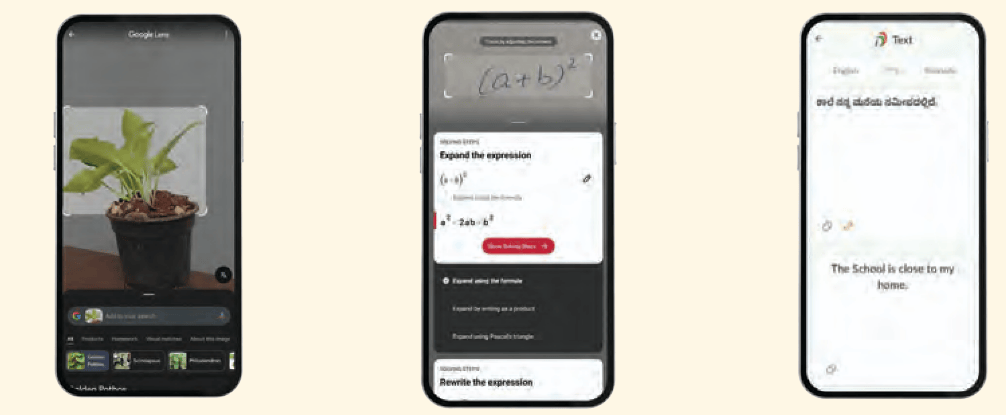
Figure 4.4: Using AI on mobile devices
(a) Use Google Lens to scan an object or plant that is unfamiliar to you.
(b) Write down a mathematics problem or find one from your textbook. Use Photomath to scan the problem and observe how it solves it step by step.
(c) Choose a simple sentence in your native language. The example statement is: "The school is close to my home." Now, use Bhashini to translate it into a different language.
Find more tools that can:
Identify birds by their chirping or recognise constellations in the night sky or design and visualise outfits that you can try on?
What tools did you discover and use?
What did you explore using these tools?
Table 4.5: Exploring AI tools: see, listen and talk
| The app used by you | What can the app do? | Do you think the app did its job? Yes/No | Give reasons for your response |
|---|---|---|---|
Can you find any other examples of how AI helps humans perform these functions (Figure 4.5)?
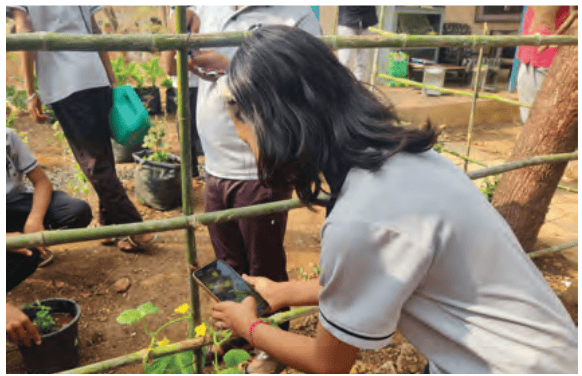
Figure 4.5: A student using an AI tool to identify a plant
Please record your observations in the table 4.3.
Discuss as a group how these capabilities of AI can be helpful for humans. Write the ideas you come up with below.
Activity 3: Is AI creative?
We have learnt that AI can see, listen and speak. It can differentiate between what is important for the user and what is not, and provide useful information. But can it ‘think’, ‘observe’ and ‘feel’ like humans can?
Suppose, you had to tell someone about your trip to a mela or celebration of a festival or visit to a place of historic or tourist interest.
What will your story be about? Write the idea of your story in a single sentence below:
Write about everything that made the visit special for you. Describe what you saw (e.g., colours, interesting things to eat, shops with exciting games), what you heard (e.g., music, games, laughter), about the food and drink you had, and how you felt (e.g., excitement, heat, or wind). Then ask AI to create a similar story using your story idea as a prompt.
To get an AI tool to write or draw something, you need to write a ‘prompt’ for it to give you the correct result. An ‘AI prompt’ is usually more detailed than search words. It can be a set of instructions or questions to help AI generate a specific ‘reply’ to your prompt.
Compare your story with the AI version. Was AI’s story different from yours? Yes/No ................................
You can search for AI tools to write a story. One example is the AI tool GenerateStory.io. You can search for other AI tools as well using the keywords, AI to generate a story.
- 1. What details were similar and different between the story you had written, and the one AI had written?
- 2. What parts of the story written by AI did you like and why?
Now, let us learn how AI can help to make your story better. Add more details to the prompt you had originally given an AI. Think of what you would have liked the AI to add to the story.
- 1. Write the new prompt in the space below:
- What is the difference between the story AI had written by itself and the one it wrote with your help? Do you think it is better than the previous one? Yes/No
If not, improve the prompt and try again.
Of course, AI will never be able to write a story like you do, but it can do other things to help you (Figure 4.6).
Draw a picture of the place your story is about or anything that is part of your story (e.g. giant wheel, ice cream cart, puppet show). Try to include as many details as you can.
You can ask AI to clean up your rough sketches and make them look neat. Search online with keywords - AI for enhancing your handmade drawing. An example of such a tool is AutoDraw.
For example, the rough sketch of a food cart has been cleaned up using AutoDraw (Figure 4.7).
Compare the pictures.
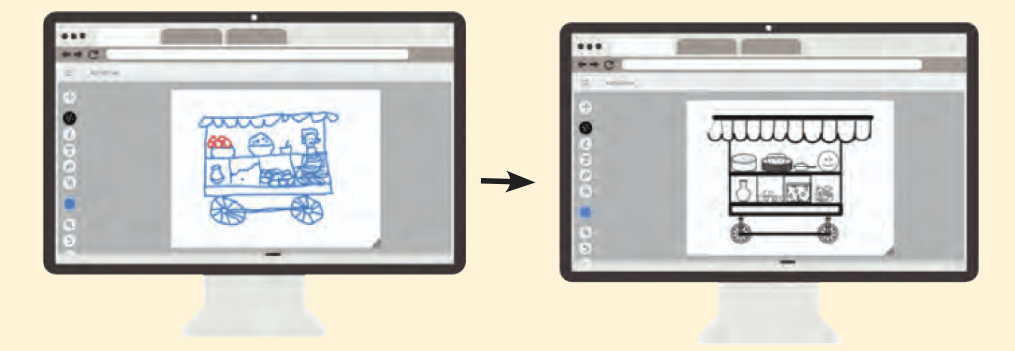
Figure 4.7: Using AutoDraw
Thus, AI and you can help each other.
Activity 4: Preparing to design own AI Assistant
Imagine yourself as someone who has moved into a locality with their family. Everything is new, especially if you have moved to another district or state. You need to learn about the places to eat, to buy something you need, local customs, places of historic interest, and so on. Along with useful information, you would also like to know what makes that place special.
So, if you had to help someone who has moved into your locality, what would you tell them?
Discuss among your friends what are the most important things to know about your locality. You could ask someone who recently moved into the neighbourhood, a community elder, your parents and teachers for their views.
Few examples of different categories you can find out about are given below. 'Sub-categories', that is, specific examples of each of the categories are given in the brackets:
- 1. Popular food in the locality (e.g., different kinds of food, drink, fruits, snacks).
- 2. Plants that grow in the locality (e.g., trees, flowering plants, bushes, shrubs, vegetables, farm crops).
- 3. Animals found in the locality (e.g., birds, insects and other animals).
- 4. Popular music in the locality (e.g., folk music, popular music).
- 5. Popular dance forms in the locality (e.g., folk, classical, contemporary dance).
- 6. Places of tourist interest (e.g., historical buildings, old markets, parks).
- 7. Communication (e.g., greetings like Juley in Ladakh and Johar in Jharkhand, common queries like "Do you have milk?" "Where can I buy a ticket from?")
- 8. Any other things you can think of?
Once you have a list of what people should learn about the locality, you still need to decide how you will share this information with them.
You can do this by making your own AI Assistant using a computer/tablet/smartphone. We will use the term 'machine' for all three.
Thus, the next task is to decide what kind of data you will collect to help people.
Data is any type of information that we can see, hear, or record. It can be in many forms, like words, numbers, pictures, sounds, or even videos. For this project, we will focus on Image Data, you can decide to take up Audio Data and Video Data if you wish.
While you can decide whether you want to collect data for all the categories, different groups of students can take responsibility for different categories, so that you collect a lot of information.
Preferably, you should collect data with the help of a camera, but if for some reason you are unable to do so, search for relevant images on the Internet.
The first step in making the AI Assistant is to collect different kinds of data related to the same object.
To understand how to do so, take the example of Aisha.
Aisha's mother is a fruit seller, and Aisha wants to help her sort the varieties of mangoes while purchasing them from the market. She decides to use AI by training her 'machine' to sort different types of fruits, especially the many varieties of mangoes.
Table 4.4: Training the machine to sort mangoes
Table 4.4: Training the machine to sort mangoes
| Category | Sub-category | Add Image Data |
|---|---|---|
| Mango | Alphonso |  |
| Himsagar | 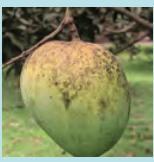 |
|
| Malgova | 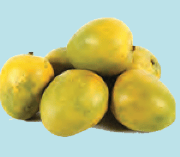 |
|
| Raspuri | 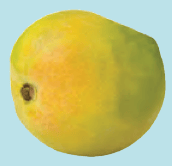 |
As a first step Aisha collects data in the form of images of different kinds of mangoes she is interested in.
Aisha does
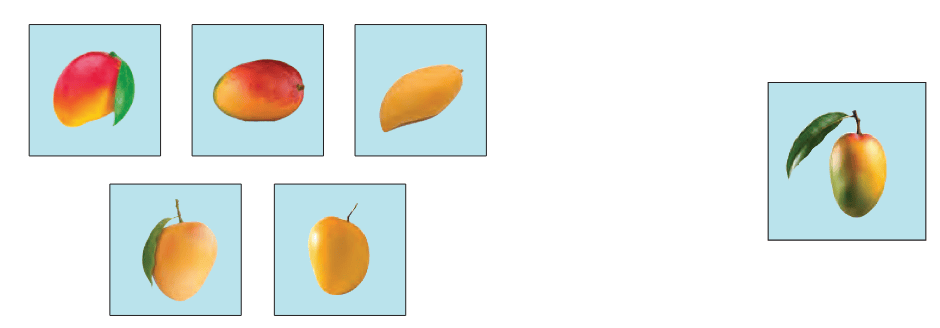
Aisha takes photos of mangoes and also searches online for clear images of each variety of mango. She collects at least 12–15 different images for each variety to make sure there is enough data for the AI to learn better. Figure 4.8 shows the variety of images Aisha chooses.
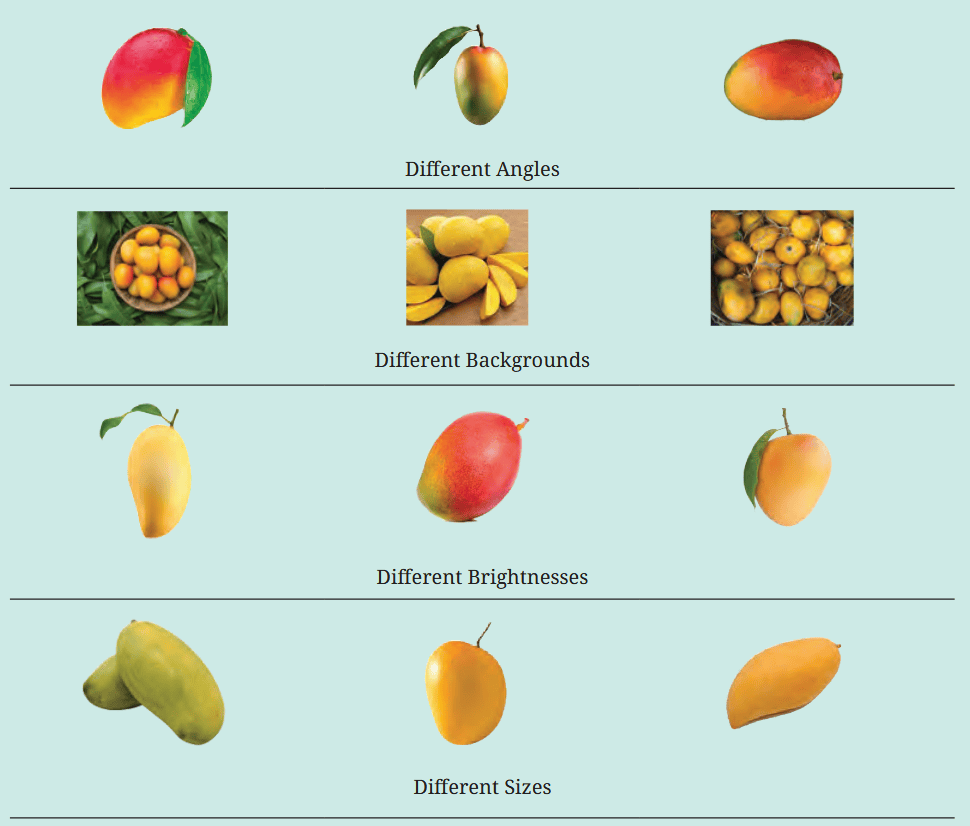
Figure 4.8: Aisha categorises fruits into mangoes and then different varieties of mangoes into sub-categories
You do
Now collect image data for your category/categories. Remember, you need to source a variety of photographs like Aisha.
Check each image: Is it clear? Is there a shadow? Will you use all the images, or will you discard some of them?
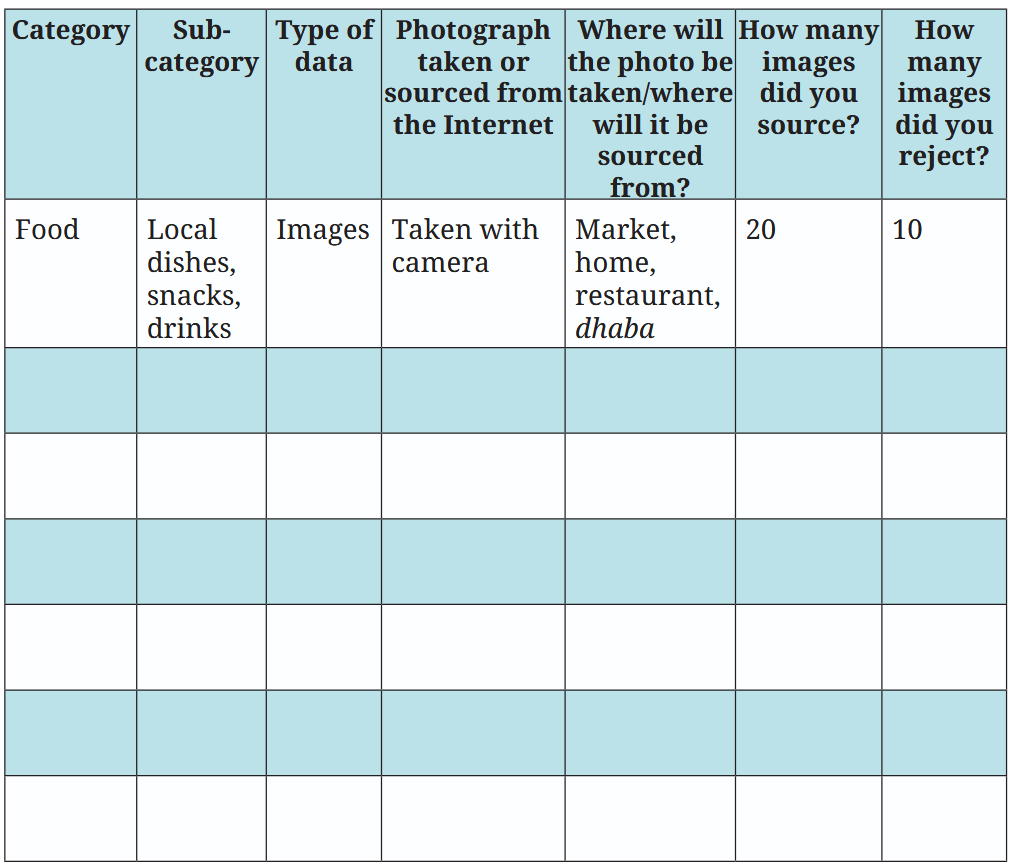
Fill table 4.5 below – one example is given.
Table 4.5: Categories, sub-categories and type of data to be collected
Activity 5: Teaching the machine to recognise images
Once you have collected the data, you must teach the AI Assistant to respond when a user asks for information. This response will be based on the data you have uploaded (Figure 4.9). So, you must teach the AI Assistant to select the right data when the right prompt is given. For example, if a prompt is related to plants, the AI Assistant must pull out the right data.
You can search online for different ‘machine learning models for image recognition’. As an example, we will use Google’s Teachable Machine.
If you need additional guidance — you can search online using the keyword: Teachable Machine AI Tutorial.
 Showing machine different images
Machine learns to
identify image
Showing machine different images
Machine learns to
identify image
Figure 4.9: Machine learning to identify images
Follow Aisha as she proceeds with creating her AI Assistant.
Aisha does
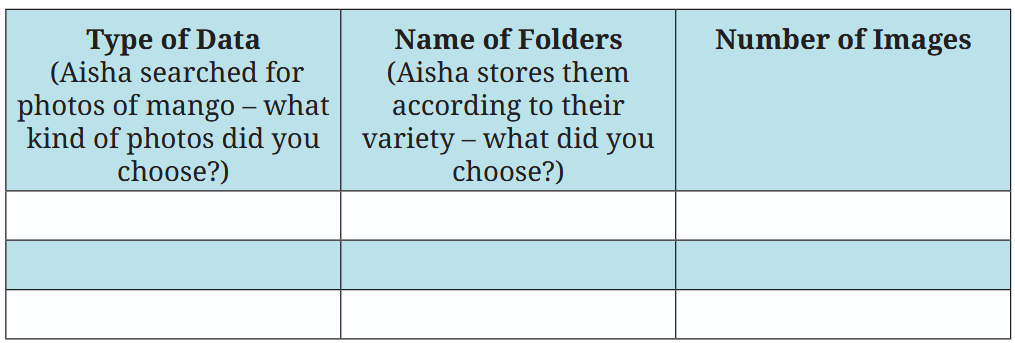
Aisha creates folders for each sub-category of mangoes (e.g., Alphonso, Ratnagiri).
You do
You have uploaded your data and placed it in folders with different names that will help you immediately recognise what kind of information is stored.
You can also create more sub-categories (e.g., within plants—vegetable, flowering, fruit).
Please note the details of the data and store the data in different folders as per the categories and sub-categories.
Table 4.6: Uploading the data in an organised manner
Activity 6: Training for recognition
Now that you have uploaded the data, you have to train the machine to recognise images. Follow Aisha’s example (Figure 4.10).
Aisha does
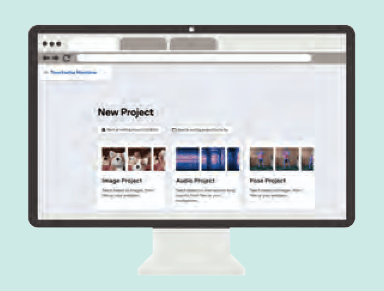
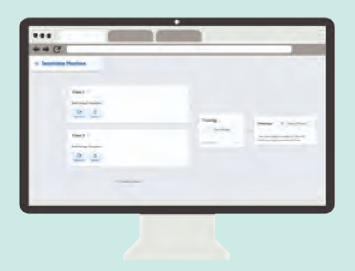
Step 1: Opens a new image project in Teachable Machine. She uploads the images into their respective categories
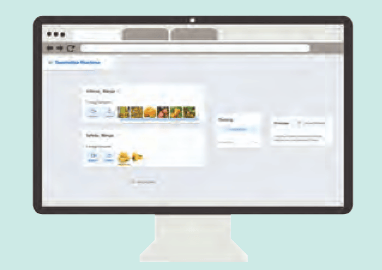
Step 2: Labels sub-categories as Mango_Alphonso; Mango_ Langra; Mango_Kesar
Step 3: Trains the machine by clicking the Train Model button to start the process
You do
Open Teachable Machine, start an Image Project, click on Standard Image Model, and upload your categorised images. You can upload images of the project stored by you. Label each sub-category and train the model.
Fill table 4.7 with the labels (names) of sub-categories you chose.
Table 4.7: Labels for training the model
| Categories | Labelling (renamed sub-categories) |
|---|---|
| Alphonso | Mango_Alphonso |
Now, the machine has the data you uploaded and organised. You have also trained the machine and created an AI Assistant. Now, it is necessary to test it.
If there are any errors, you need to upload more data and train the model once again.
Activity 7: Testing and improving
To test your AI Assistant, first try it out yourself and then ask a friend to try it out and give you feedback. Once again, follow Aisha’s example.
Aisha does
Aisha tests her model through 2 approaches:
- (i) Uploading new images of mangoes.
- (ii) Holding an actual mango in front of the webcam (real-time testing)
When the AI model does not detect images in a category correctly, she adds more images to that category and retrains the model.
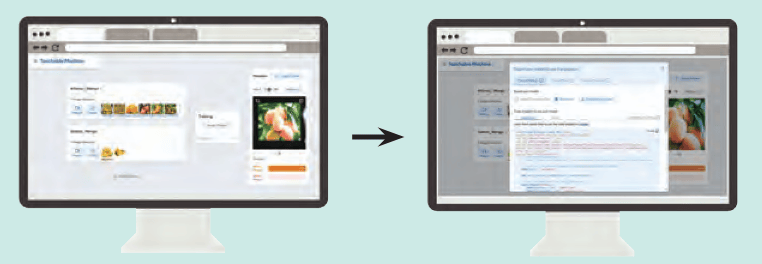
Figure 4.11: Training and exporting the model
After training the model, Aisha saves her project by clicking on Export Model→Download Model (Figure 4.11).
You do
Test your trained model by either uploading new images or using real time testing through the webcam. If the model makes errors, gather additional images for the problematic category, upload them, and retrain to improve accuracy.
1. Did you upload a new image or use a webcam to do real time testing?
2. Did the AI model recognise the images correctly? Yes/No ........
3. If it did not, it could be because it needs more and different kinds of data belonging to the category you choose. According to you, what kind of data will be needed by the AI model to recognise the image correctly?
4. Did you save your project by downloading the model? Yes/No .......
Activity 8: Making the AI Assistant Interactive and sharing it
Now that you have made the AI Assistant, you can make it more interactive and creative by adding characters and animation through Scratch AI (Figure 4.12). Search with the keywords MIT, AI Raise Playground and open the playground.
Using AI Raise Playground you can make your AI model interactive by:
- 1. Choosing a character for your assistant (e.g., a friendly guide or a historical figure).
- 2. Plan the questions the assistant will ask, like 'Do you want to learn about our local heritage or wildlife?
- 3. Add a personality to your assistant. Decide how it will talk (fun, serious) and if it will use animation.
You can also explore tutorials and other creative examples of AI projects by going to 'See Examples' section on the MIT AI Raise Playground homepage.
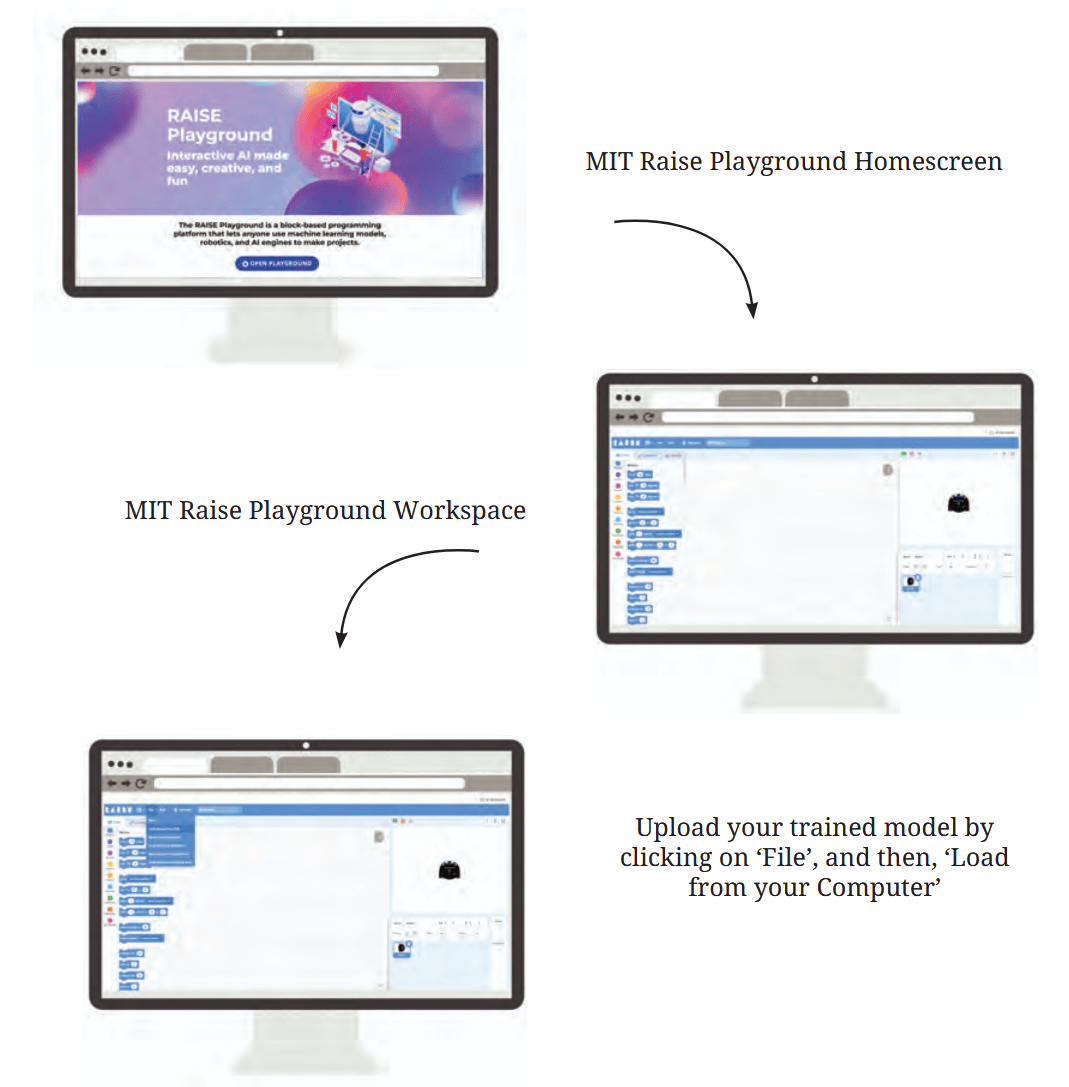
Figure 4.12: MIT Raise Playground tutorial
MIT Raise Playground Homescreen
MIT Raise Playground Workspace
Upload your trained model by clicking on ‘File’, and then, ‘Load from your Computer’
Activity 9: Sharing with others
It’s time to share your Scratch/MIT AI Raise project with others and gather their feedback. This is a great chance to see how well your project works for different people, and what can be improved to help make your AI Assistant even better.
- 1. How many people used the AI Assistant and gave you feedback?
- 2. What is one thing you would change about your project based on the feedback you received?
What did I learn from others?
- 1. Describe any three things you learnt about your locality during this project.
- 2. Describe the most important things you learnt from your friends about making an AI Assistant while doing the project.
What did I do and how long did it take?
It is important to understand the time required for an activity to be completed.
Calculate the approximate amount of time in hours you spent on each activity. Mark them on the timeline below. If you did more than the activities suggested in the book, please add the number and time taken.
| Activity | Time taken |
|---|---|
| 1 | |
| 2 | |
| 3 | |
| 4 | |
| 5 | |
| 6 | |
| 7 | |
| 8 | |
| 9 |
What else can I do?
Did you know that Teachable Machine is not just for recognising images? You can also use it to train AI with audio data.
You can follow the following steps:
- 1. Classification: Select audio types, e.g., different languages, bird sounds.
- 2. Data Collection and Training: Record more than ten sound clips per category, ensuring variety in timing and location. Organise the clips into folders, upload them to Teachable Machine, and train the model.
- 3. Testing and Improvement: Test the AI model with new audio clips. If the AI struggles, add more examples and retrain.
Think and Answer
- 1. What did you enjoy doing?
- 2. What were the challenges you faced?
- 3. What will you do differently next time?
- 4. Flowchart (Putting it all together)
To complete your project, you followed a series of planned steps. Before starting any project, it is useful to estimate the time and resources needed to complete the task (devices, camera, people required to do the work, and anything else you think is important). This will help you complete the task as planned in a timely manner. It is also useful for anyone else who wants to help you with the task.
Similarly, when you work with machines, it is necessary to make a detailed list of instructions for getting the work done through the machine. Therefore, programmers write down the detailed instructions systematically - this is called an 'algorithm'.
Planning Your Project
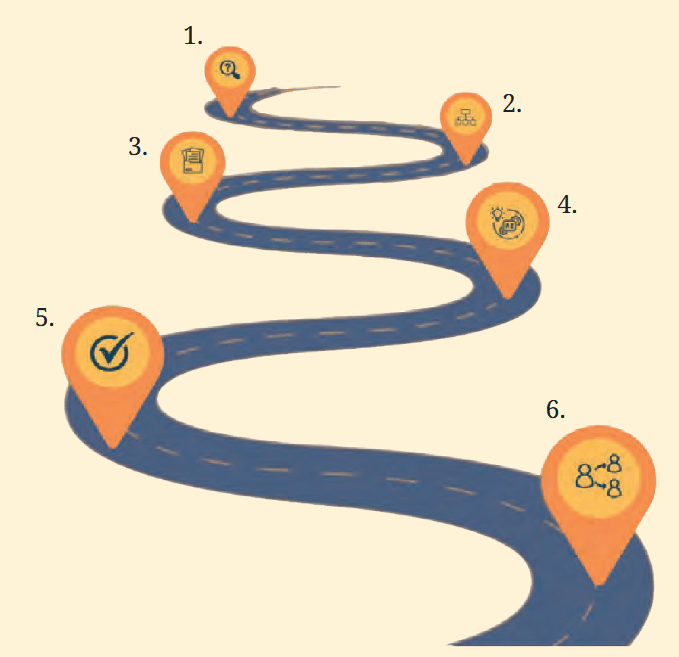
Figure 4.13: Pathway followed to create the AI Assistant
- 1. What do I want to do?
- Aisha identified types of fruits and bird sound
- What do you want the AI assistant to do?
- 2. How will I create the classification tree?
- Mango into 5 categories and sub-categories and Guava into categories sub-categories
- What are the categories of data you will train the AI assistant to recognise?
- 3. How will I collect and organise data?
- 4. How will I train the model?
- 5. Testing the model.
- 6. Sharing the model
Figure 4.13 gives the steps you followed. Fill in the empty spaces to indicate what you did in the project - this is the algorithm for your project.
Identify a few examples of jobs related to the work you just did. For example, data scientist, machine learning assistant, software engineer, robotics engineer, research scientist. Look around, speak to people and write your answer.